子组织用户的无缝认证
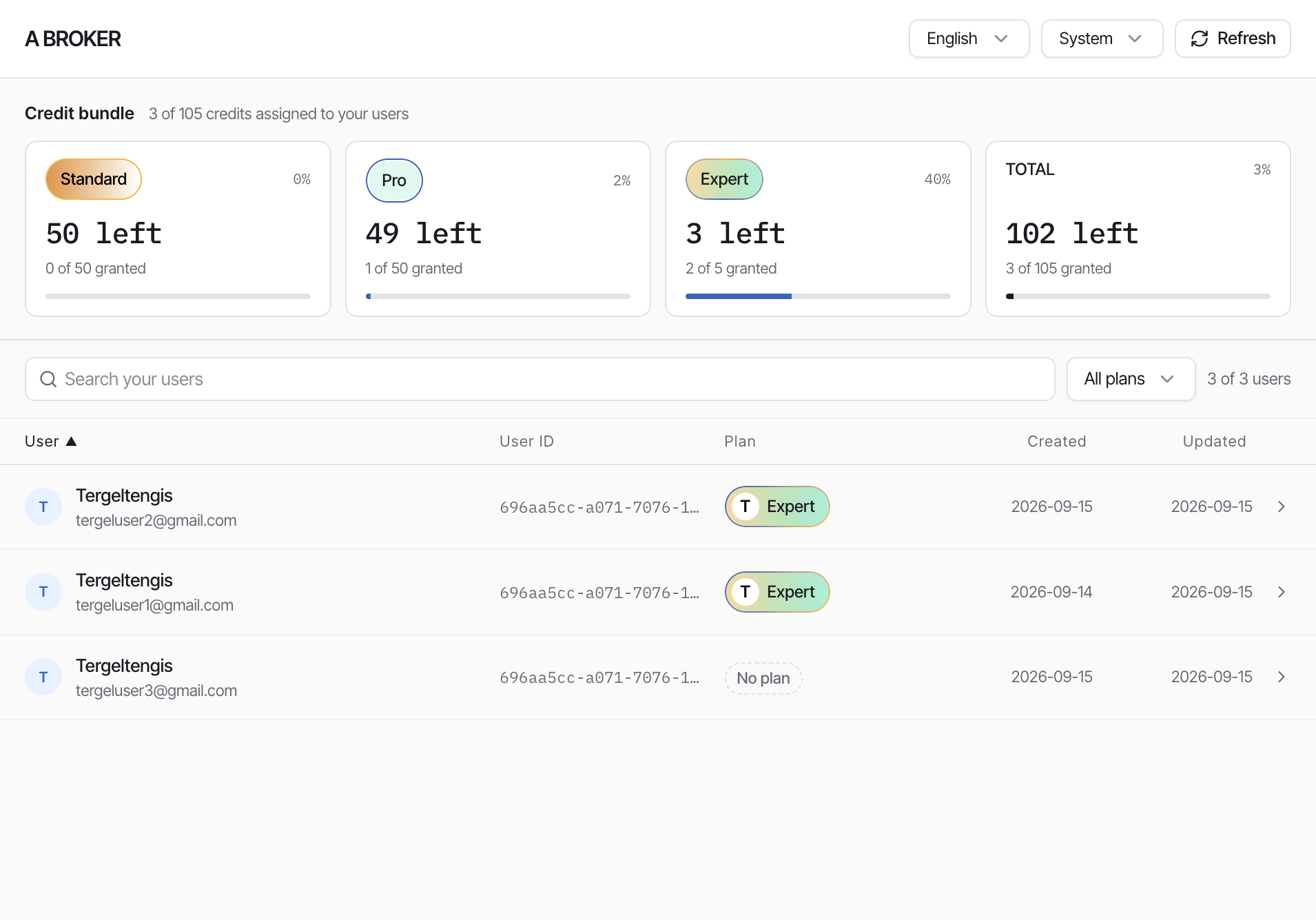
平台(或客户 / 经纪商后端)可以在特定经纪商 identifier 下创建并认证终端用户。调用该接口会把用户关联到该客户 / 经纪商,使其出现在 Organization Users 嵌入中,供经纪商分配套餐。
这与企业无缝认证不同,企业流程使用不带 identifier 的 get-user-token。
Backend calls get-user-token-sub-org
   (email + identifier + X-Api-Key)
        ↓
User is created / authenticated under that broker
        ↓
User appears in
https://manage.iccandle.site/?apikey=…&identifier=…
        ↓
Broker assigns a plan in the Organization Users panel
前提条件
| 要求 | 说明 |
|---|---|
| API 密钥 | 在平台管理后台签发 — 见 API 密钥 |
经纪商 identifier | 与客户在 Organization Users 嵌入 中使用的值相同 |
| 终端用户邮箱 | 要创建或认证的用户邮箱 |
| 服务端调用方 | 勿在公开客户端暴露 API 密钥与令牌 |
认证流程
- 你的后端向
get-user-token-sub-org发送POST,携带用户的 email 与经纪商的 identifier。 - 使用
X-Api-Key认证请求。 - 成功时,响应包含会话令牌(
idToken、accessToken、refreshToken)。 - 用户会关联到该经纪商的组织。
- 用匹配的
apikey与identifier打开经纪商嵌入 https://manage.iccandle.site/ — 用户会出现在列表中。 - 经纪商从其积分包中分配套餐。
获取用户令牌(子组织)
POST https://api.iccandle.ai/seamless/get-user-token-sub-org
X-Api-Key: <your-api-key>
Content-Type: application/json
请求体:
{
  "email": "user@example.com",
  "identifier": "A broker"
}
| 字段 | 类型 | 必需 | 说明 |
|---|---|---|---|
email | string | 是 | 要创建或认证的终端用户邮箱 |
identifier | string | 是 | 客户 / 经纪商组织 id — 必须与嵌入的 identifier 一致 |
响应:
{
  "email": "user@example.com",
  "created": false,
  "idToken": "",
  "accessToken": "",
  "refreshToken": "",
  "expiresIn": 86400,
  "tokenType": "Bearer"
}
| 字段 | 类型 | 说明 |
|---|---|---|
email | string | 该会话所属邮箱 |
created | boolean | 本次请求为该邮箱新建了 iC Candle 用户时为 true |
idToken | string | 用户身份令牌 |
accessToken | string | 调用 iC Candle API 所用令牌 |
refreshToken | string | 用于刷新会话的令牌 |
expiresIn | number | 会话有效期(秒)(86400 = 24 小时) |
tokenType | string | 始终为 Bearer |
调用示例:
curl -X POST \
  https://api.iccandle.ai/seamless/get-user-token-sub-org \
  -H "X-Api-Key: $ICCANDLE_API_KEY" \
  -H "Content-Type: application/json" \
  -d '{"email": "user@example.com", "identifier": "A broker"}'
密钥只放在服务端
仅从后端调用该接口。不要把 API 密钥写进浏览器代码、移动应用,或超出经纪商管理面板已使用范围的 Organization Users iframe URL。
认证之后 — Organization Users 嵌入
嵌入 URL 中使用与请求体相同的 identifier:
https://manage.iccandle.site/?apikey=YOUR_API_KEY&identifier=YOUR_IDENTIFIER&theme=system&lang=zh&primary=57F63B
| 步骤 | 谁 | 操作 |
|---|---|---|
| 1 | 后端 | 用 email + identifier 调用 get-user-token-sub-org |
| 2 | 经纪商 | 打开 / 刷新该 identifier 的 Organization Users 面板 |
| 3 | 经纪商 | 在列表中找到该用户 |
| 4 | 经纪商 | 打开用户抽屉并 Assign a plan |
在分配套餐之前,用户显示为 No plan,不会消耗积分包中的积分。分配套餐会扣除所选档位的一积分 — 见 客户 / 经纪商 与 为客户充值。
在组件中使用令牌
响应的令牌形态与企业无缝认证一致。拿到 idToken、accessToken 与 refreshToken 后,可按无缝用户认证(步骤 5 — 让用户登录组件)的方式让用户登录 iC Candle 组件。
与企业无缝认证对比
企业 get-user-token | 平台子组织 get-user-token-sub-org | |
|---|---|---|
| 接口 | POST /seamless-auth/get-user-token | POST /seamless/get-user-token-sub-org |
| 请求体 | { "email" } | { "email", "identifier" } |
| 组织上下文 | API 密钥所属企业账号 | 显式经纪商 identifier |
| 用户管理位置 | 企业控制台 | Organization Users 嵌入 |
| 谁授予套餐 | 企业合作伙伴 | 嵌入中的客户 / 经纪商 |