Top Up Clients / Brokers
Platforms allocate credit bundles to clients / brokers from the admin dashboard. Those credits appear in the client's Organization Users embed as the Credit bundle section, and are spent when the client assigns plans to end users.
Workflow
Platform (admin dashboard)
   ↓
Select Client / Broker
   ↓
Enter Amount (remaining credits per tier)
   ↓
Confirm Top Up
   ↓
Balance Updated
   ↓
Client sees new Credit bundle totals in
https://manage.iccandle.site/?apikey=…&identifier=…
The Organization Users panel itself does not top up. Its UI states that top-ups are made by the platform admin.
Step 1 — Select a client / broker
- Sign in to the platform admin dashboard.
- Open the clients / brokers list.
- Find the account by platform name or email.
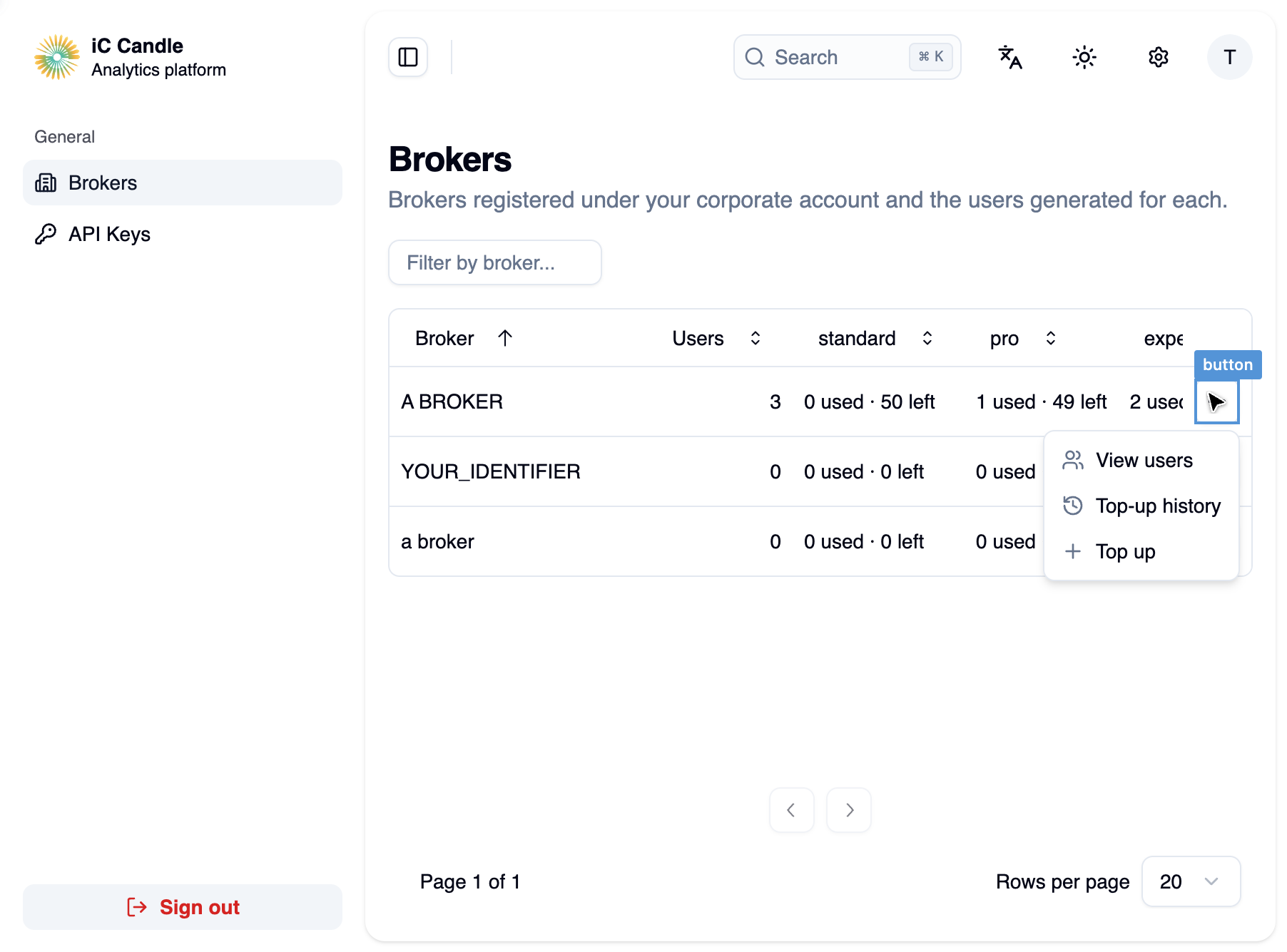
- Open the row Actions menu (⋯) and select Top up.
Step 2 — Enter amounts
Set remaining credits for each tier the client can grant:
| Tier | Used when the client assigns |
|---|---|
| standard | Standard plan |
| pro | Pro plan |
| expert | Expert plan |
Used counts are read-only — they increase when the client assigns plans in the embed.
Save the remaining counts you want the client to have. Check the current values first, then enter the updated totals.
Validation typically requires whole numbers ≥ 0 for each tier field.
Step 3 — Confirm
- Review standard, pro, and expert.
- Select Save changes.
- Confirm the client / broker list shows updated bundle badges.
What the client sees after top-up
In https://manage.iccandle.site/ the client should Refresh. The Credit bundle cards update:
- N left increases for topped-up tiers
- X of Y granted reflects new totals
- Depleted / low-credit warnings clear when capacity returns
When assigning plans, each paid assignment uses one credit of that tier for as long as the user stays on that plan.
Empty bundle behavior
If a client's bundle is fully assigned:
- Plan options with no credits left are disabled in the user detail drawer.
- The embed shows a hint to ask the platform admin to top up before assigning more users.