Seamless auth for sub-org users
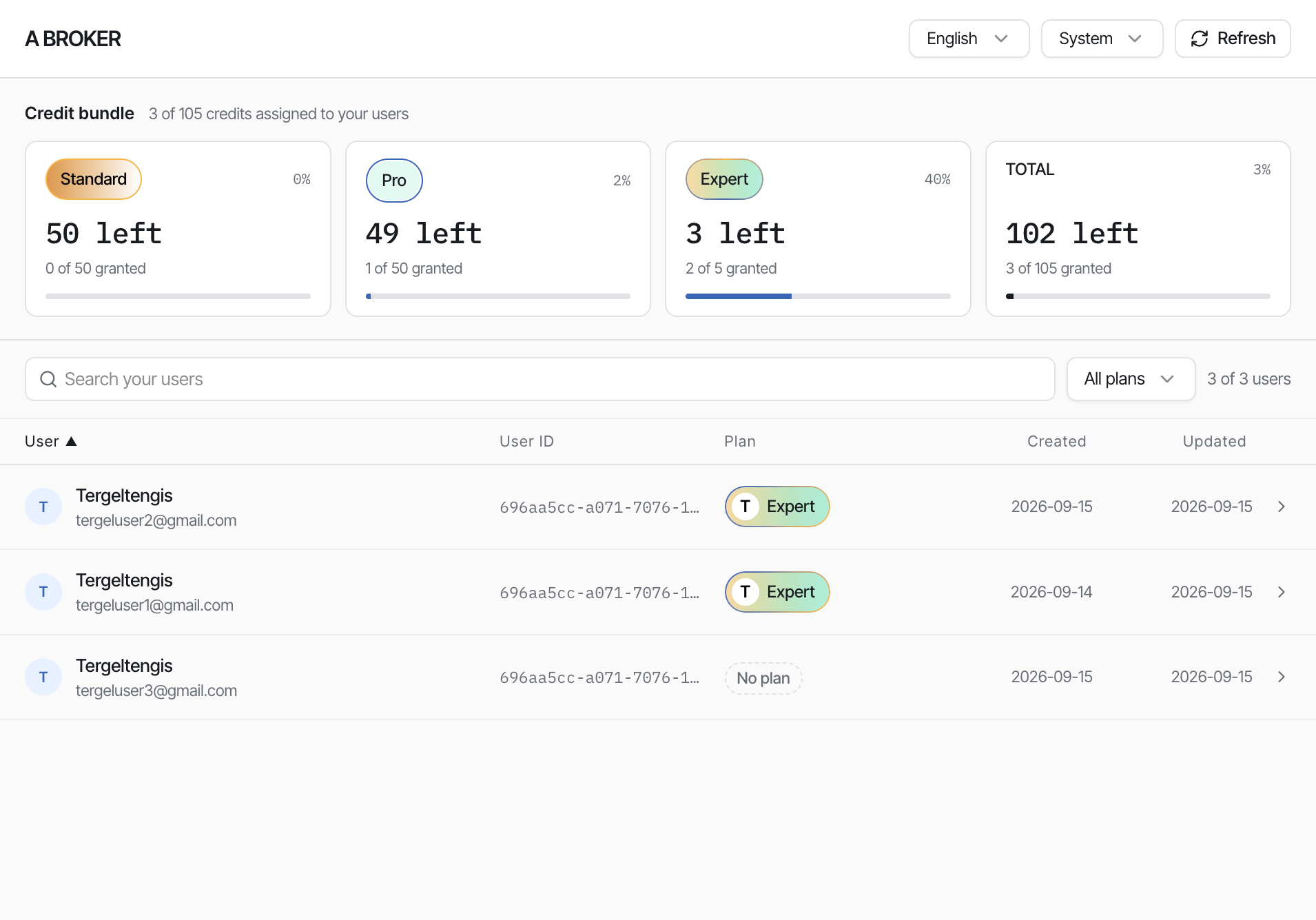
Platforms (or client / broker backends) can create and authenticate end users under a specific broker identifier. Calling this endpoint associates the user with that client / broker so they appear in the Organization Users embed, where the broker can assign a plan.
This is different from corporate seamless auth, which uses get-user-token without an identifier.
Backend calls get-user-token-sub-org
   (email + identifier + X-Api-Key)
        ↓
User is created / authenticated under that broker
        ↓
User appears in
https://manage.iccandle.site/?apikey=…&identifier=…
        ↓
Broker assigns a plan in the Organization Users panel
Prerequisites
| Requirement | Details |
|---|---|
| API key | Issued in the platform admin dashboard — see API Keys |
Broker identifier | Same value the client uses in the Organization Users embed |
| End-user email | Email of the user to create or authenticate |
| Server-side caller | Keep the API key and tokens off public clients |
Authentication flow
- Your backend sends
POSTtoget-user-token-sub-orgwith the user's email and the broker's identifier. - Authenticate the request with
X-Api-Key. - On success, the response includes session tokens (
idToken,accessToken,refreshToken). - The user is linked to that broker's organization.
- Open the broker's embed at https://manage.iccandle.site/ with the matching
apikeyandidentifier— the user shows in the list. - The broker assigns a plan from their credit bundle.
Get user token (sub-org)
POST https://api.iccandle.ai/seamless/get-user-token-sub-org
X-Api-Key: <your-api-key>
Content-Type: application/json
Request body:
{
  "email": "user@example.com",
  "identifier": "A broker"
}
| Field | Type | Required | Description |
|---|---|---|---|
email | string | Yes | End-user email to create or authenticate |
identifier | string | Yes | Client / broker organization id — must match the embed identifier |
Response:
{
  "email": "user@example.com",
  "created": false,
  "idToken": "",
  "accessToken": "",
  "refreshToken": "",
  "expiresIn": 86400,
  "tokenType": "Bearer"
}
| Field | Type | Description |
|---|---|---|
email | string | The email the session belongs to |
created | boolean | true when this request created a new iC Candle user for the email |
idToken | string | Identity token for the user |
accessToken | string | Token used to invoke iC Candle APIs |
refreshToken | string | Token used to refresh the session |
expiresIn | number | Session lifetime in seconds (86400 = 24 hours) |
tokenType | string | Always Bearer |
Example call:
curl -X POST \
  https://api.iccandle.ai/seamless/get-user-token-sub-org \
  -H "X-Api-Key: $ICCANDLE_API_KEY" \
  -H "Content-Type: application/json" \
  -d '{"email": "user@example.com", "identifier": "A broker"}'
Call this endpoint only from your backend. Do not put the API key in browser code, mobile apps, or the Organization Users iframe URL beyond what the broker already uses for the manage panel.
After authentication — Organization Users embed
Use the same identifier in the embed URL that you sent in the request body:
https://manage.iccandle.site/?apikey=YOUR_API_KEY&identifier=YOUR_IDENTIFIER&theme=system&lang=zh&primary=57F63B
| Step | Who | Action |
|---|---|---|
| 1 | Backend | Call get-user-token-sub-org with email + identifier |
| 2 | Broker | Open / refresh the Organization Users panel for that identifier |
| 3 | Broker | Find the user in the list |
| 4 | Broker | Open the user drawer and Assign a plan |
Until a plan is assigned, the user shows as No plan and does not consume a credit from the bundle. Plan assignment draws one credit of the selected tier — see Clients / Brokers and Top Up Clients.
Using tokens with widgets
The response token shape matches corporate seamless auth. After you have idToken, accessToken, and refreshToken, you can sign the user into the iC Candle widget the same way as in Seamless user authentication (Step 5 — sign the user into the widget).
Compared with corporate seamless auth
Corporate get-user-token | Platform sub-org get-user-token-sub-org | |
|---|---|---|
| Endpoint | POST /seamless-auth/get-user-token | POST /seamless/get-user-token-sub-org |
| Body | { "email" } | { "email", "identifier" } |
| Org context | Corporate account of the API key | Explicit broker identifier |
| Where users are managed | Corporate console | Organization Users embed |
| Who grants plans | Corporate partner | Client / broker in the embed |
Related guides
- API Keys
- Clients / Brokers
- Top Up Clients
- Seamless user authentication — corporate partner flow without
identifier