Widgets
iC Candle publishes chart overlays for the TradingView Charting Library, plus a hosted iframe embed for partners who build their own chart UI.
Architecture
There are 3 ways to use iC Candle on your chart — React widget, Vue widget, or build your own widget. All three load the hosted Iframe Embed at https://embed-iccandle-app.iccandle.ai/{locale}.
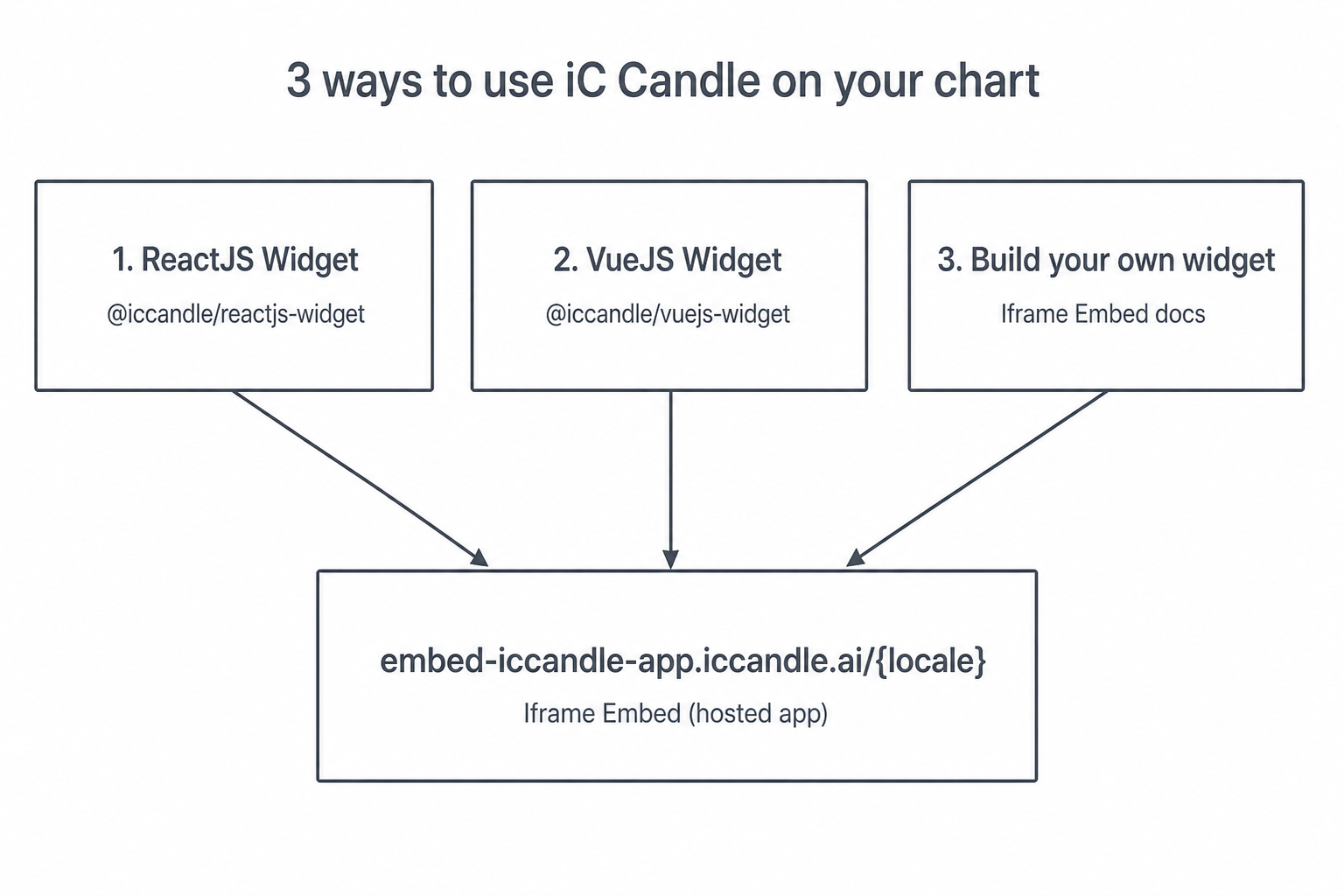
| Package | Version | Status | Purpose |
|---|---|---|---|
| VueJS Widget | 0.2.0 | Available | Vue 3 overlay — scanner, results iframe, pattern tracker, news sync |
| ReactJS Widget | 0.2.21 | Available | All-in-one chart overlay — scanner, results iframe, pattern tracker, news sync |
| Build your own | — | Available | Hosted URL + search params + postMessage |
| Seamless user authentication | — | Available | Corporate API to create and authenticate your own users, and grant plans |
React and Vue packages:
- Ship as ESM and CommonJS with styles bundled and injected at runtime (no separate CSS import).
- Require a TradingView Charting Library build served as static assets (not included in the npm packages).
- Authenticate via the embedded results app (
iccandle_token).
The iframe embed is a separate hosted app (embed-iccandle-app.iccandle.ai). You do not install an npm package; you load the URL, pass query params, and handle messages yourself.
Prerequisites
- For React / Vue widgets: obtain and host the TradingView Charting Library (for example under
/charting_library/in your public folder). - For ReactJS Widget, install React 18+ (
react,react-dompeer dependencies). - For VueJS Widget, install Vue 3.5+ (
vuepeer dependency). - For Build your own: a page that can host an iframe and (for scans) call
cacheCandlewith a Bearer token from sign-in.
Get started
- VueJS Widget introduction — install, quick start, scanner + chart sync
- ReactJS Widget introduction — install, quick start, scanner + chart sync
- Build your own introduction — URL, search params, and building your own host widget
- Seamless user authentication — generate iC Candle users for your own end users and grant them plans